 Storix
Help / SSH tools
Snippets
Save the commands and scripts you type again and again, then run them in any terminal with a click.
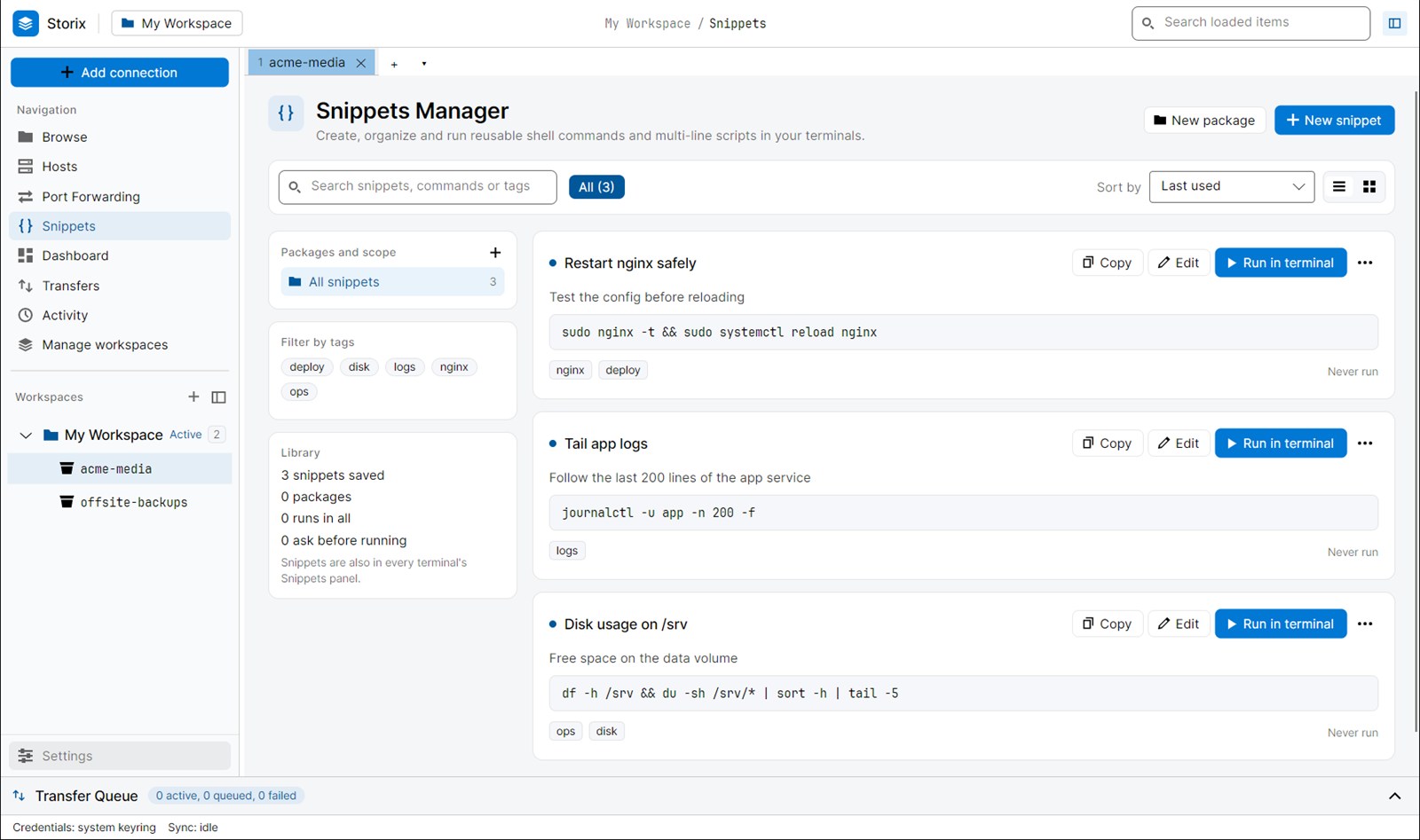
Save a snippet
- Click Snippets in the sidebar, then New snippet.
- Give it a Name and, optionally, a Description, Package and Tags.
- Type or paste the Command or script. It can be several lines long.
- Tick Always ask before running this snippet for anything you want to double-check each time.
- Click Create snippet.
Snippets are stored on this computer. Commands that look destructive, such as rm, mkfs, dd of=, DROP TABLE, git push --force or shutdown, are marked Destructive, and Storix always asks before running them.
Organise and find
- Packages group snippets, for example per project or server. Click New package; rename or delete a package from its menu. Deleting a package keeps its snippets as Not in a package.
- Tags: type a tag and press Enter, or separate several with commas. Use Filter by tags on the left to narrow the list.
- Search matches names, commands and tags.
- Sort by Last used, Most used, Name or Newest, and switch between list and grid views.
Each snippet's menu also has Duplicate, Move to package and Delete.
Run a snippet
- Click Run in terminal on the snippet.
- Choose the Destination terminal: any open terminal (each marked as connected or not), or Launch in a new SSH terminal tab for one of your SSH Connections. Storix pre-selects the SSH terminal you're looking at.
- Choose Execute (Enter) to run it, or Paste only to type it in without pressing Enter so you can check or edit it first.
- Click Run (or Paste). Snippets marked Asks first or Destructive need Confirm and run.
- With two or more SSH sessions open, Broadcast to all active sends the snippet to all of them at once. Local terminals are never included.
- Tick Switch to the target terminal after sending to jump to it.
- Tick Record the run in the activity log to log the snippet's name and terminal. The command itself is never logged.
You can also run snippets from the Snippets panel inside a terminal.
Multi-line scripts
Multi-line snippets are pasted as one block, so the shell doesn't run each line as you send it. Paste only never presses Enter. If a shell doesn't support pasting a block, Storix refuses to paste a multi-line snippet rather than run it line by line by surprise. Control characters are removed before sending.
Snippets only ever run inside a terminal you can see. Storix never runs one as a hidden background command.